To adopt a virtual office, start with a group that already works together, pick one concrete problem, and agree on when to use the space. Then try real conversations, protect time for focus, and gather feedback before you expand. This plan organizes that process over 14 days, without asking the team to change everything at once.
The timeline is a way to stay organized, not a promise that the team will settle in or that results will follow. Adjust it for working days, time off, and time zones. The point is to try a routine, not to rush through a checklist.
Here, a virtual office means an online workplace for collaboration, not a business-address service. If the idea is still new, start with what a virtual office is.
Before day one: decide what is worth testing
Pick a group that has to talk in order to get real work done. That might be a product team, an operations core, or people from different areas who already collaborate. You do not need the whole company in order to learn whether the format fits.
Write one question for the pilot: “Can we clear quick doubts without waiting for the next meeting?” or “Can people who work from home take part in the group’s conversations?” Choose one priority. “Improve all of our communication” is too broad to guide a short review.
Note how this happens today, with examples: a question that sat unanswered, a sync that had to be booked, or a conversation that already worked well in chat. You do not need a dashboard. That baseline later helps you compare situations without relying only on the mood of the last day.
Name one person who can help with access and questions. They make the trial easier; they do not watch attendance or push people who are deep in focus to talk.
The 14 days at a glance
| Period | Main action | How you will tell it worked |
|---|---|---|
| Days 1–2 | Set up the space and walk people through it | Each person can sign in, find their way, and try a conversation |
| Days 3–5 | Agree on availability, focus, and where decisions are written down | The group knows when to walk over, when to wait, and where to record decisions |
| Days 6–10 | Use it on real work | You have examples of what helped, what got in the way, or what made no difference |
| Days 11–14 | Gather feedback and decide the next step | The team can continue, adjust, or stop, with clear reasons |
These tests guide the conversation about the pilot. They are not universal targets, and they are not automatic product metrics.
Days 1–2: set up the space and take a first walk
Invite people with context
Before you send invites, explain the goal, the period, and the limits. A short message is enough: “We are going to try a place for the project’s quick questions. We will have agreed windows to be there together, with no obligation to turn the camera on. At the end we will review whether it helped and what should change.”
In Capitown, invites are sent by email from the space settings, with a Member or Administrator role. They expire. If someone does not receive an invite, or finds an expired one, use the getting started guide instead of leaving that person to figure it out alone.
Keep the walkthrough short
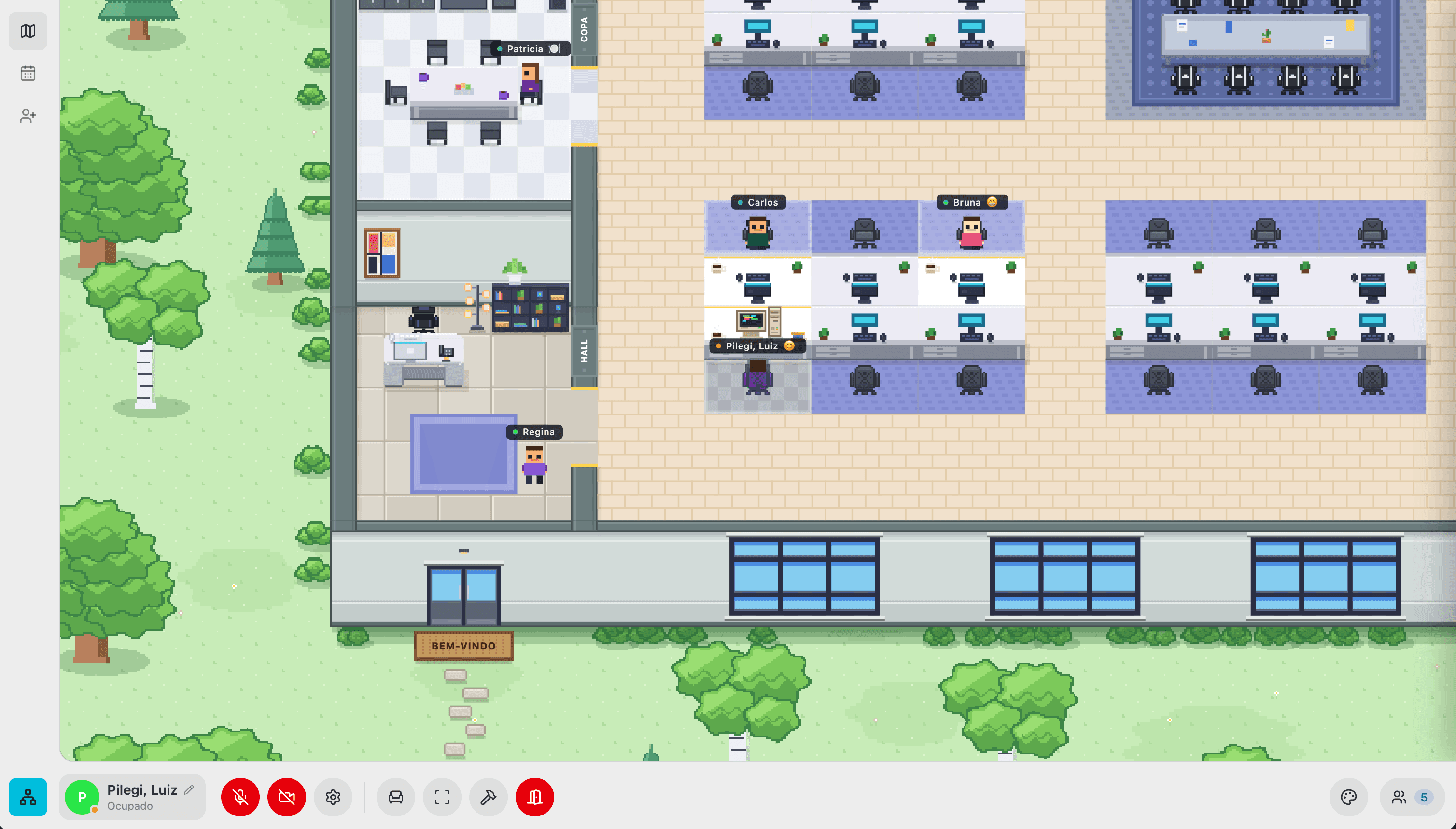
Set aside a moment to explore the map together. Each person should be able to move around, recognize teammates, and try the microphone. In Capitown you can walk with the arrow keys, WASD, or the mouse, talk over voice, and turn the camera on when you need it.
Practice starting and ending a conversation, and turning on Do Not Disturb. Do not try to demonstrate every feature in the first session. The aim is to leave knowing enough to work, not to memorize an interface.
People can join in the browser or in the app for Mac and Windows. Do not make installation a requirement of the pilot: choose the path that fits the team’s devices and company rules. Today, our desktop app supports Apple Silicon Macs (macOS 12 or later) and 64-bit Windows 10 or 11. On an Intel Mac, use the browser for now.
Days 3–5: agree on presence without creating surveillance
An empty space is a poor test of working together; a space full of interruptions is a poor test too. The middle path is to agree on windows when people will be around, in a way that respects calendars and time zones.
The team might, for example, pick a shared morning window on a few days. Outside that window, everyone follows the usual working agreements. That schedule is an example, not a recommendation to stay connected all day.
Write four agreements somewhere easy to find:
- Being available is not an obligation to reply at once. Look at the context before you walk over.
- Do Not Disturb has to be respected. A question that can wait should not turn into a chase on another channel.
- Urgencies have their own rule. Agree what counts as urgent and which channel to use then.
- Decisions need a record. After you talk, write the outcome where the team already looks.
In Capitown, Do Not Disturb keeps a person visible on the map without making them available for a call. Our guide to status and availability in remote work goes deeper on that.
Leaders have to practice the same limits. If leadership still expects an instant reply during focus time, the agreement falls apart. Do not use time online, the number of conversations, or avatar movement as a stand-in for delivery or quality of work.
Days 6–10: try it on real work
Pick a few situations, not every meeting
Try work that would have happened anyway. A question about a task, a review of a draft, and a group alignment let you see different uses.
In Capitown, a review can use screen sharing during the conversation. The meeting room on the map is there for group talk. We describe both on our virtual office features page.
Picture one person reviewing a proposal and another responsible for the copy. If both are available, they can talk and look at the screen together. When they finish, they write down what changes and who will make the edit. If one of them is focused, the question stays in writing for later. The pilot should test both choices, not only reward the live conversation.
Do not automatically move interviews, client meetings, or work that depends on other tools. To decide what to try, see how to reduce Zoom and Meet meetings.
Note friction and make small changes
Keep a short log: the situation, what worked, and what got in the way. For example: “We managed to review together, but nobody knew where to put the decision.” The fix might be agreeing on a document, not adding another feature.
If someone did not take part, find out why before you conclude they were uninterested. There may be an access problem, a schedule clash, an accessibility need, or a task that does not call for live collaboration. In a hybrid team, check whether people outside the office had a fair chance to join.
Change one thing at a time, such as the shared window or the first walkthrough. That makes it easier to see whether the change helped.
Days 11–14: review and choose the next step
Ask for individual feedback before the group conversation. That gives room to people who would rather not disagree in public. Four questions help:
- 1In which situation did the space make your work easier?
- 2In which situation did it get in the way, or make no difference?
- 3Were you able to protect your focus time?
- 4What would you keep, change, or stop using?
Compare the answers with the original problem and the examples you logged. If someone reports less waiting, ask for a concrete situation. If someone reports more interruptions, look at the context. Do not turn impressions into productivity percentages, and do not generalize a few people’s experience to the whole company.
There are three legitimate outcomes: continue with the group, adjust before you expand, or end the experiment. If you continue, write down who will help new people and which agreements stay. If you adjust, pick the problem you will watch in the next round. If you stop, record the reason: learning that the routine does not fit the tool is still a result.
Checklist to close the pilot
- The original problem was clear to everyone.
- Each person had help signing in and trying the space.
- The schedule respected time zones, time off, and focus blocks.
- The group tried real work, not only a demo.
- Decisions were written down.
- Feedback included difficulties and dissenting views.
- The conclusion used examples, and did not confuse presence with productivity.
- The next step and the person responsible for it were named.
Start with the agreement, not with the tool
Adopting a virtual office is a way of trying to work together. A clear goal, help at the door, and room to say “this did not help” make the review more honest. To see the space itself, look at Capitown’s features and walk through getting started with your team. You can open the office from the homepage or download the app. The trial lasts 14 days.
If you are still choosing a product, use how to choose virtual office software. If the comparison is specifically with Gather, see the Gather Town alternative.
Frequently asked questions
Do we have to keep the virtual office open all day?
No. In this plan, the team agrees on shared windows in order to try the format. The period should respect each person’s work, and should not turn connection into time tracking or a productivity score.
Do 14 days guarantee that the team will adapt?
No. They are a suggestion for organizing setup, use, and review. Time off, time zones, and the kind of work may call for a different calendar. The outcome depends on what the group actually experiences.
Do we have to replace chat and video calls?
No. Keep the tools that already work for documentation, asynchronous communication, and external meetings. The pilot is there to find where a virtual office helps, not to migrate everything at once.
Do we have to install an app to try Capitown?
No. Capitown runs in the browser and also offers an app for Mac and Windows. The team can choose the access path that fits their devices and internal rules.
How do we review the pilot without watching people?
Use feedback, examples of work, and the problem you set at the start. Do not use time online or the number of interactions as a measure of individual performance. Also ask whether focus and boundaries were respected.