

Everything your team needs in a virtual office, on a live map
Capitown brings presence, conversation, and collaboration together in a virtual office built for your team. Here is what you can do on the map.
Live conversation
Collaborate on the spot. No meeting link.
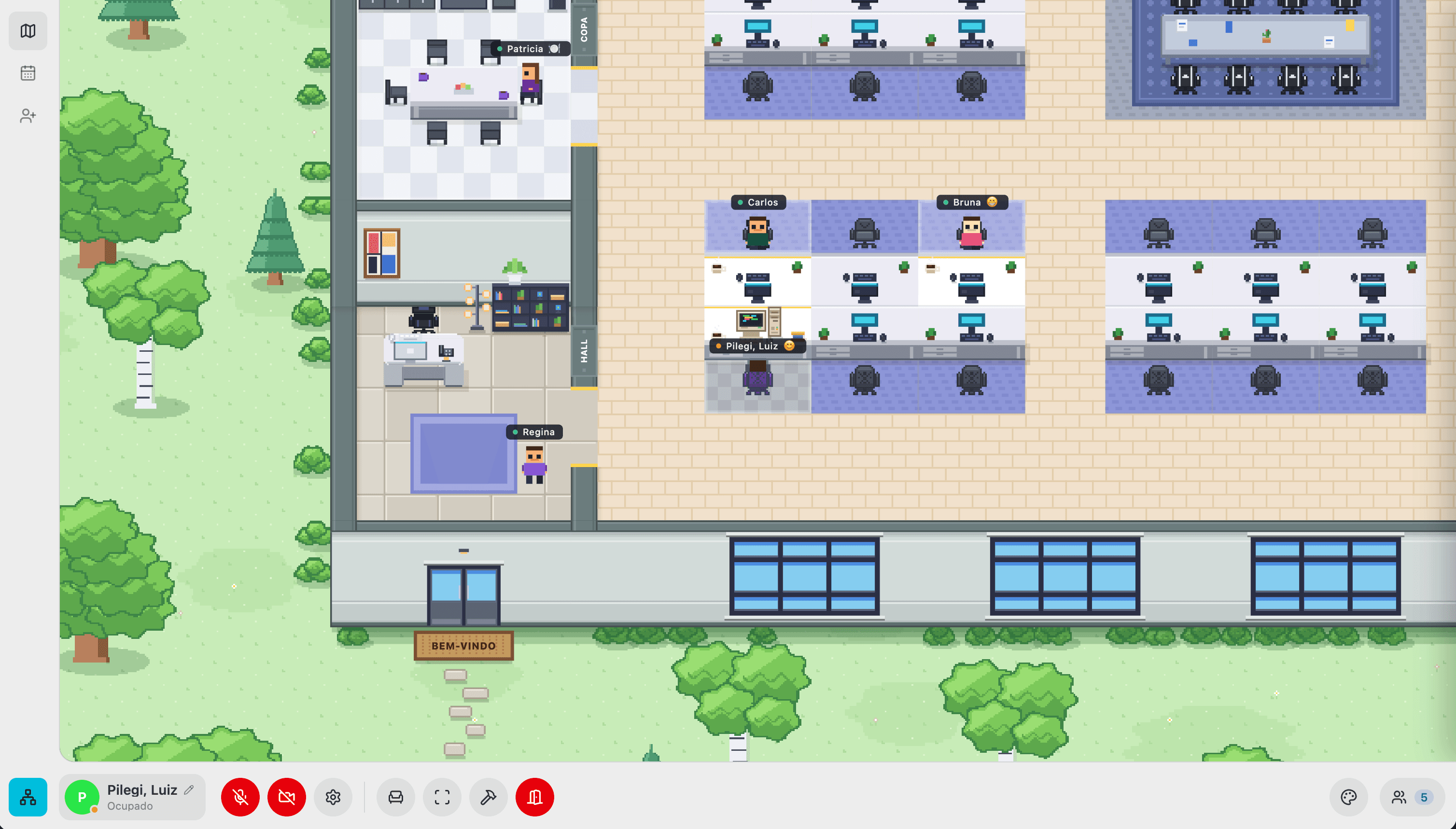
Look around the map, see who is nearby, and start talking in seconds. Speech balloons over desks show the team interacting.
- See who is at the desk
- Walk over and the call starts
- Join with one click
Navigate the map
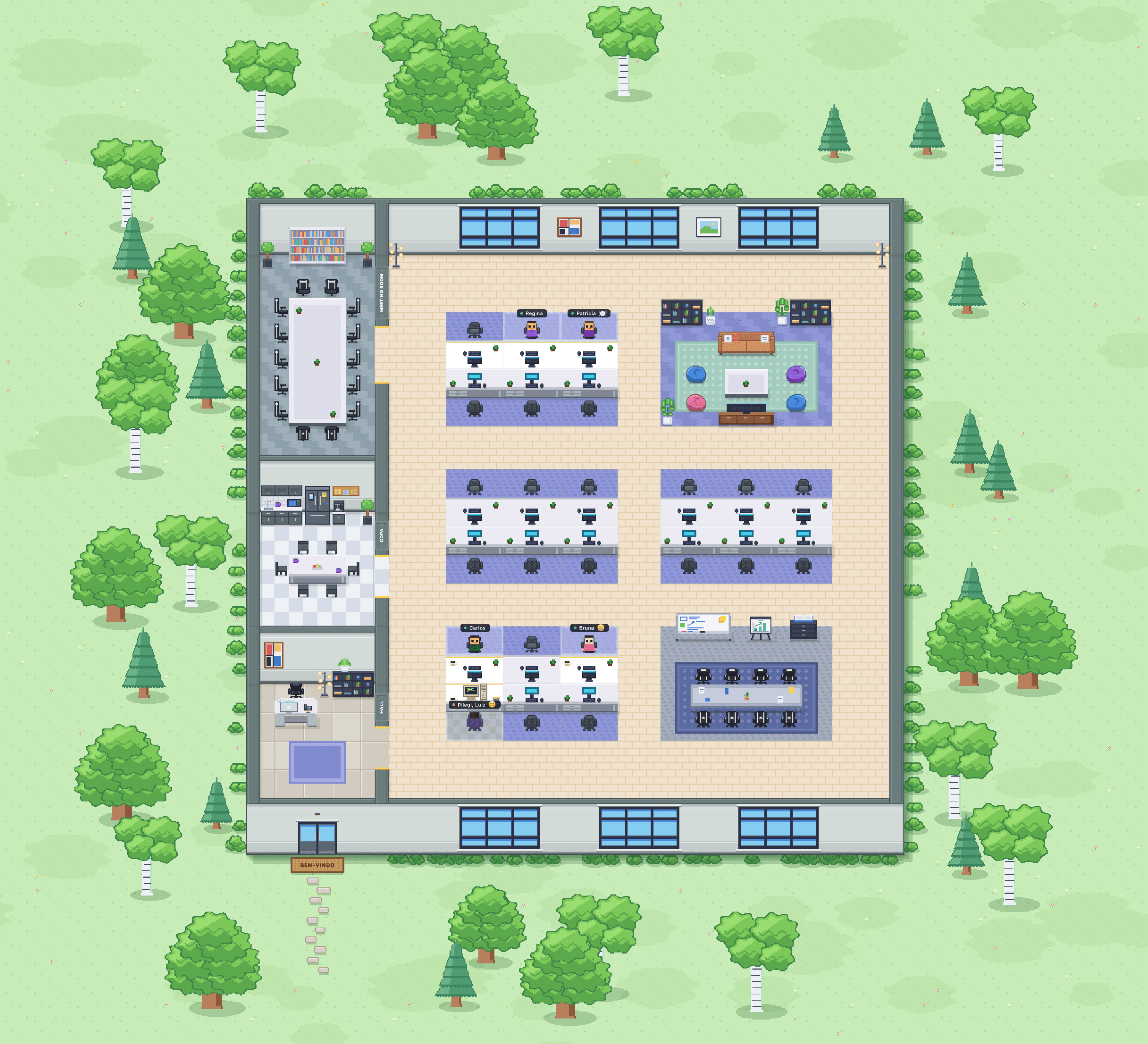
The whole office fits on one map
Use arrows, WASD, or the mouse to move. Find the team, enter a desk area, and start a conversation with whoever is nearby.
- Walk the space like an office
- Sit at a desk to work together
- Start a chat without scheduling
Your character
Be recognizable from across the room
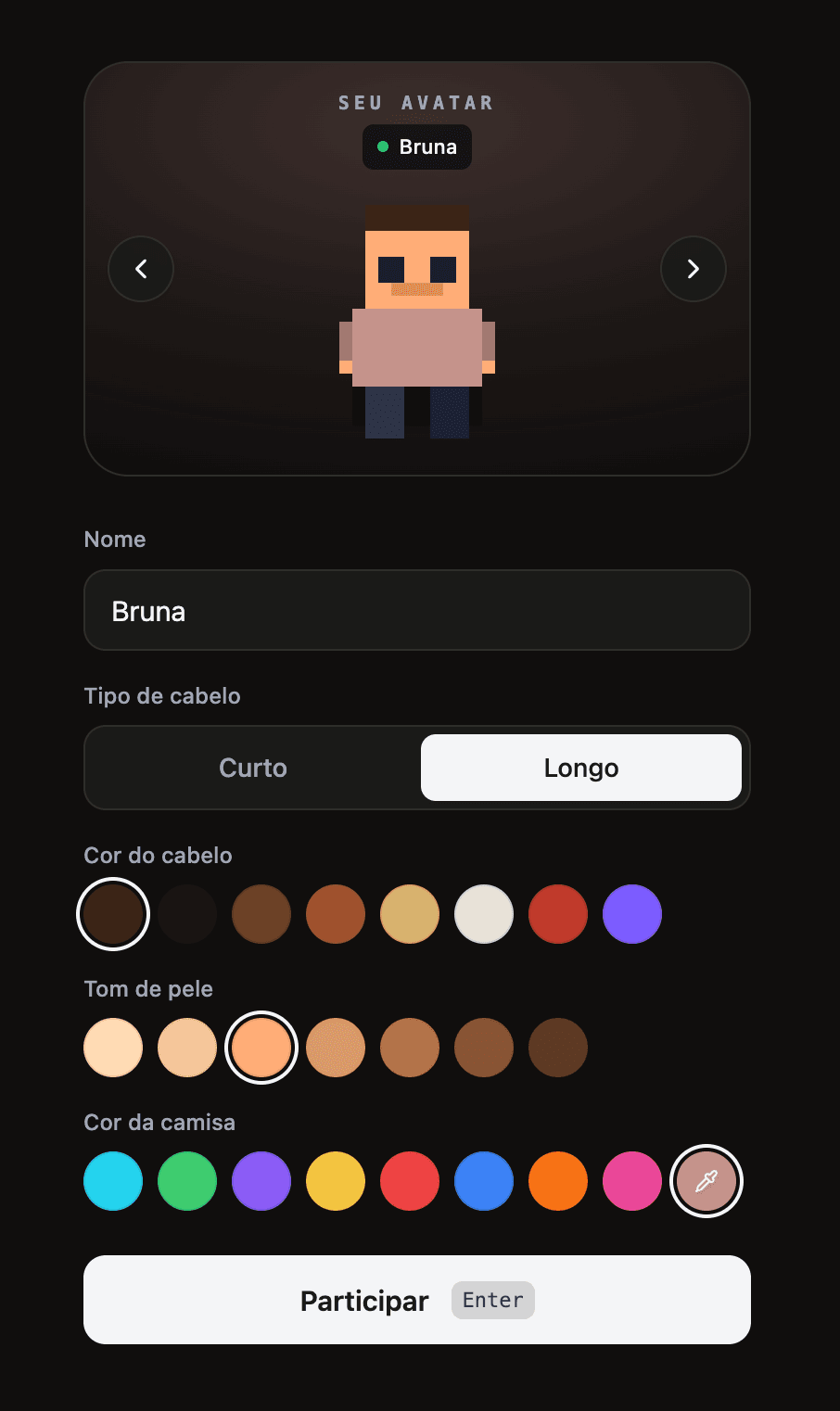
Pick your avatar color and the short name that appears on the map. Everyone in the office is a real person on your team.
- An avatar in your color
- A name the team can read
- Live presence on the map
All features
From the first “good morning” to the presentation in the meeting room.
Read the full guide: what is a virtual office
Proximity voice chat
Walk up to a teammate’s desk and the voice call starts. Walk away and it ends, just like a hallway chat.
Camera when you want it
Turn on your camera during a conversation to see each other. It turns off on its own when you leave the call.
Screen sharing
Show your screen during a conversation to review work together, without switching tools.
Meeting room
A space on the map for group conversations, syncs, and presentations with the whole team.
Team chat
A general channel for announcements and wins, plus direct messages to reach a teammate anytime.
Waves with notifications
Wave to get someone’s attention. They get a notification, even with the tab in the background.
Do Not Disturb status
Need focus? Turn on Do Not Disturb: you stay visible on the map, but nobody pulls you into a conversation.
Personalized desk
Pick your desk color, the items on it, and its position. Everyone in the space sees your desk your way.
Pixel-art avatar
Build your character and the short name shown on the map, so people recognize you from afar.
Map themes
Choose an office theme so the map feels like your company.
Mac and Windows app
Use it in the browser or the desktop app, always one click away, never lost among your tabs.
Expiring invites
Only people you invite can join. Invites expire and can be cancelled at any time.
Up and running in minutes
Three steps and the team is on the map
- 1
Create your space
Open an account and get a map that belongs only to your team.
- 2
Invite people
Send time-limited invites. Only the people you call can join.
- 3
Walk, sit, and talk
Join the map, walk up to a desk, and the conversation starts.
Capitown now lives on your computer.
Download the desktop app for Mac or Windows (Linux coming soon), with the same look as the office you already know. Open it from the Dock or taskbar and join your team’s map in one click.
- No lost tabs: your office is always one click away
- Native notifications when someone stops by your desk
- Light, fast, and with the same Capitown look

FAQ
Frequently asked questions
What is proximity chat?
On the map, walking up to a teammate’s desk starts a voice call. Walking away ends it. You do not need to send a link. In the same conversation you can turn on the camera and share your screen.
Does Capitown have avatars and a 2D map?
Yes. Each person appears as a pixel-art avatar with a short name on the map. You can personalize your desk and choose an office theme.
Does it work in the browser and on the desktop?
Yes. The office opens in the browser or in the desktop app for Mac (Apple Silicon) and Windows. On an Intel Mac, use the browser for now. A Linux app is coming soon.
Is Capitown a virtual business address?
No. It is virtual office software for remote and hybrid teams, not a legal or mailing address.
Are conversations recorded?
No. Capitown does not record or store audio or video. See Security.
Still have questions?
Get startedCreate a space and try it with the team — the map explains it better than a paragraph.
Make remote work feel less far away
Bring the team onto the same map. Walk, sit, and talk — as if you shared an office.
Start your 14-day free trial