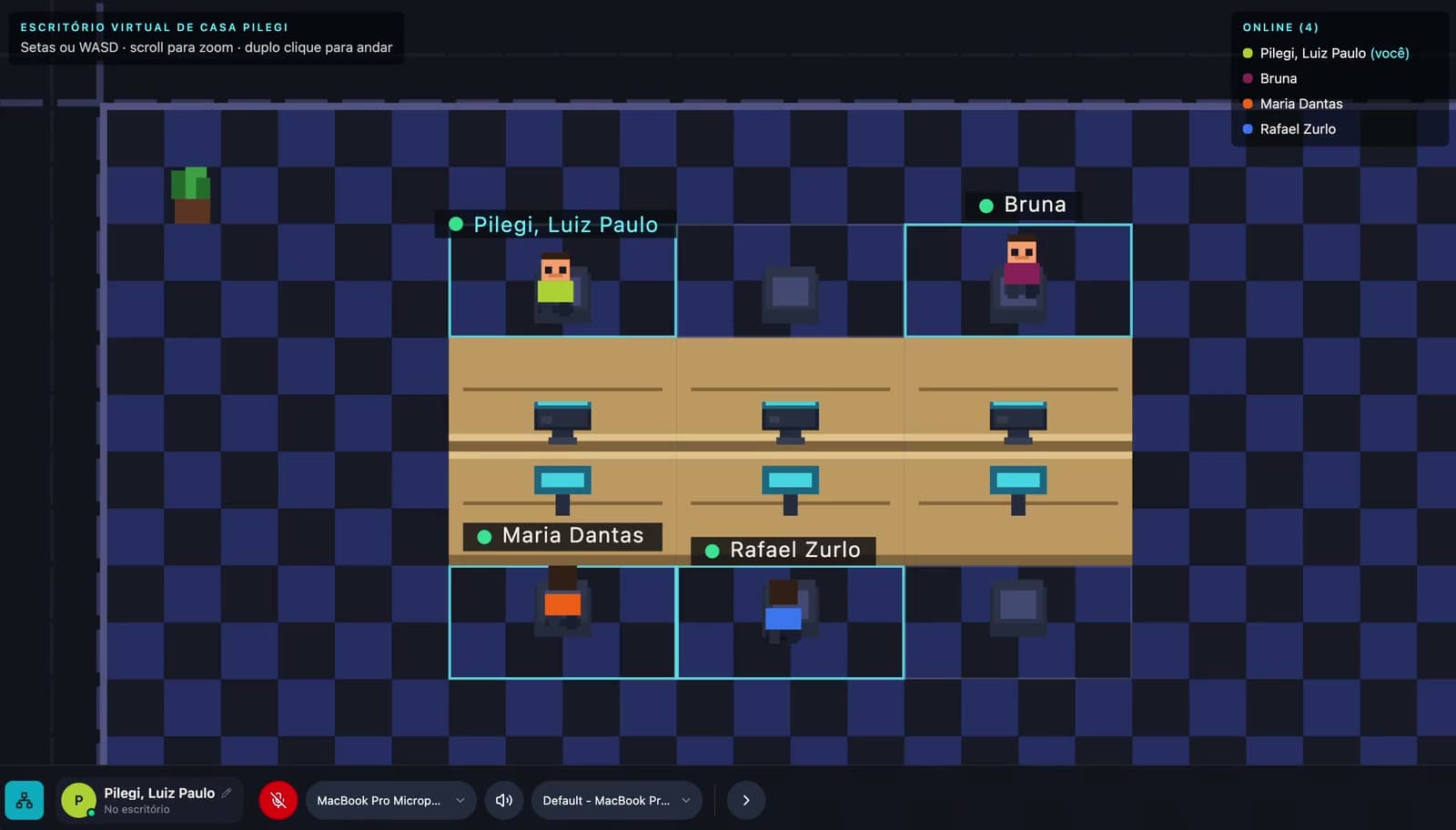
People who work from home tend to miss small things: seeing who just arrived, asking a quick question without booking a time, hearing the team in the background. A virtual office app tries to bring that back: an always-open online space where the team shows up together and a conversation starts on the spot, with no meeting link.
Here we cover what to look for in an online virtual office, what a workday looks like in one, and who it is not for. We make Capitown, so we are not neutral, but the criteria apply to any tool.
The problem it solves
In remote work, talking to someone takes an extra step: send a message, wait for a reply, sometimes open a call. That friction turns many questions into meetings and leaves many people without a conversation all day. A video grid handles the meeting but not presence. For the difference, read what a virtual office is (and is not).
What the app needs to have
- An always-open space. It exists even without a scheduled meeting. You step in, see who is around, and step out.
- Visible presence. You can tell who is at their desk, who is in a room, and who asked not to be interrupted.
- Conversation in a few clicks. In Capitown, walking up to someone starts the voice call. Camera and screen sharing are there when you want them.
- Protected focus. A status such as Do not disturb, respected by the team, keeps presence from turning into interruption.
- Runs where you work. The browser and, ideally, a desktop app. Ours covers Macs with Apple Silicon and Windows; on Linux, use the browser for now.
- Clear privacy. Audio encrypted in transit and an explicit rule on recording. In Capitown, we do not record conversations.
- Your team’s language. Interface and support in the language the team uses. Capitown is available in Portuguese and English.
For a full list of criteria, with questions to ask every vendor, see how to choose virtual office software.
What a workday on the map looks like
- 1Arrival. You open the app, your avatar appears at your desk, and your status shows you are active. The team sees you arrived without a “good morning” in chat.
- 2Focus. To work uninterrupted, you switch your status to Busy or Do not disturb. Anyone passing by sees the notice and waves instead of calling.
- 3Quick question. Need an answer? You walk to the desk of someone who can help and the voice conversation starts. Two minutes later, everyone goes back to what they were doing.
- 4A real meeting. For a group, you step into the meeting room on the map and everyone inside talks together.
- 5End of day. You sign off and your avatar leaves the map. Nothing was recorded.
Who it is not for
A virtual office needs people. If you work alone, with no team that joins the same space, it does not make sense: without other people the map is empty. It also does not replace client video calls, and it is not a business address; it is software for a team to work together.
How to try one without complicating things
Pick a small group, define one problem (for example, “questions turn into 30-minute meetings”), and use the app for a few days of real work. The 14-day rollout plan structures this stage. If it fits, create your Capitown space and invite the team: the trial is 14 days.
Frequently asked questions
What is a virtual office app?
Software where a team meets in an always-open online space, usually a map with avatars. You can see who is available and start a conversation on the spot, with no meeting link.
Is an online virtual office the same as a virtual business address?
No. This is about collaboration software for teams. A business address and phone answering is a different service, which Capitown does not offer.
Do I need to install anything?
No. Capitown opens in the browser. There is also a desktop app for Macs with Apple Silicon and for Windows, which keeps the office at hand outside your browser tabs.
Does it work if I work alone?
Not really. The value is in seeing and talking to other people. It is built for remote and hybrid teams.